


How to Maximise your Microsoft Office as a Productivity Tool
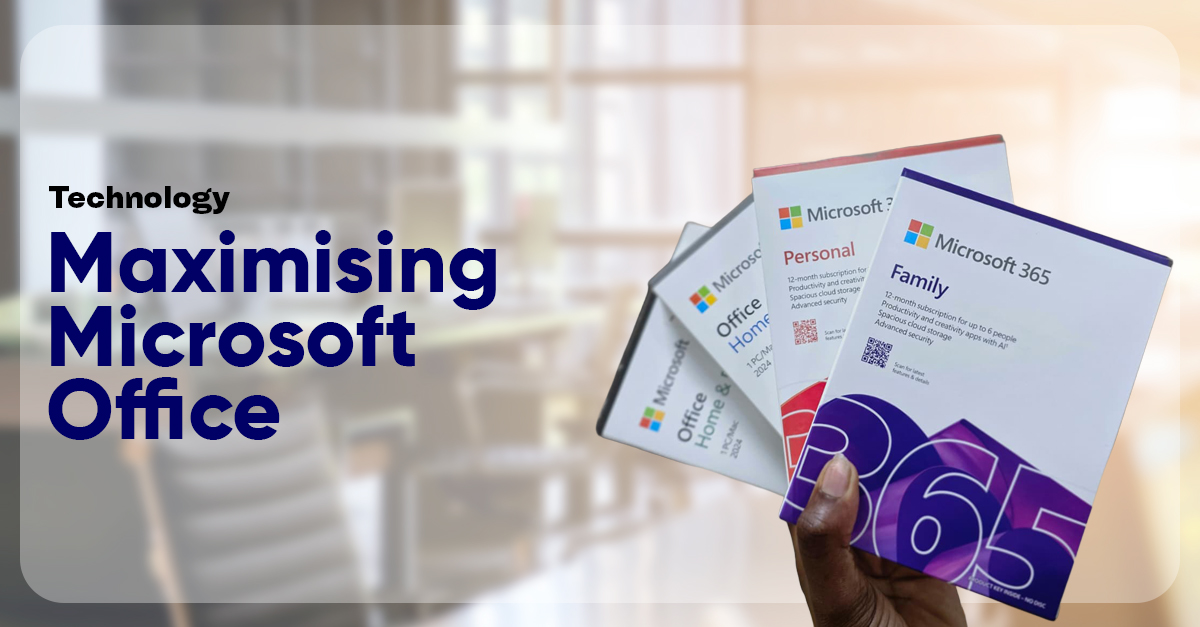
When you hear the words Microsoft Office, what comes to mind? Word? Excel? Outlook? Maybe Teams?
With over 340 million paid subscribers worldwide as of 2025, Microsoft 365 remains one of the most widely used productivity platforms. Yet business trends suggest that many users only scratch the surface.
Predominantly, Microsoft Office is seen as basic software for typing documents or sending emails. In reality, it functions as a connected ecosystem of productivity tools. While users rely heavily on Word, Excel, and Outlook for everyday tasks, numerous built-in capabilities remain largely unexplored.
Perhaps it’s time to rethink Microsoft Office as a system designed to transform how we work.
Types of Microsoft Office
To begin with, Microsoft Office is a collection of programs designed to help individuals, students and businesses create documents, analyse data, make presentations, send emails and manage work faster and professionally.

Microsoft Office has two main types of products:
-
-
Subscription-based (Microsoft 365)
-
The Microsoft 365 versions is renewed yearly with the latest updates. Users receive the full desktop apps including Word, Excel, PowerPoint, and Outlook, along with 1TB of cloud storage through OneDrive. It also allows installation on multiple devices and includes ongoing feature improvements, security updates, and collaboration tools that let multiple people work on the same document in real time
Types of Microsoft 365 include:


One-time Purchase (Perpetual license)
This version is paid once and installed on a single device by one user. It includes the core Office applications: Microsoft Word, Excel, PowerPoint and Outlook (only applies to Microsoft 365 Home and Business) but does not come with 1TB cloud storage or future feature updates, only security updates. It is best suited for users who need the basic programs without subscription renewal.
- Microsoft 365 Home (formerly known as home and student)


Productivity features of Microsoft Office
Having understood Microsoft Office in terms of its core applications, the next step is recognizing how its built-in features quietly transform it into a powerful productivity system.
-
Cloud Storage as a Game Changer
Most people assume that Office lives on one computer. In reality, when files are saved through Microsoft OneDrive, the experience changes completely. Documents automatically save in real time, sync seamlessly across devices, and remain accessible from anywhere. This eliminates common frustrations such as lost flash disks, the panic of a crashed laptop, or the need to email files to oneself just to transfer them between devices.
-
Real-Time Collaboration: No More File Chaos
Within Microsoft Word, Microsoft Excel, and Microsoft PowerPoint, multiple users can edit the same document simultaneously. Users can see who is typing, leave comments, track changes, and restore older versions of a file.
This functionality eliminates endless email chains filled with attachments labelled “Final_doc.” Instead of managing conflicting copies, teams collaborate in one live document.
-
Outlook is More Than Email
Many people use Microsoft Outlook simply to send and receive messages. However, Outlook is also a fully integrated calendar system, meeting scheduler, task manager, and automation tool. With Rules and Filters, emails can automatically sort themselves into designated folders. Priority clients can be flagged, and distractions can be minimized through structured inbox management. Over time, Outlook becomes more than an inbox, it becomes a centralized control hub for daily workflow.
-
Excel: The Automation Engine
Microsoft Excel is often used like a basic calculator, yet its capabilities extend far beyond simple arithmetic. With tools such as PivotTables, advanced formulas, dashboards, and automated reporting functions, Excel becomes a powerful analytical tool.
-
PowerPoint’s Built-In Design Intelligence
Microsoft PowerPoint includes intelligent design tools such as Designer (Design Ideas), professional templates, smart charts, and layout optimization. These features automatically suggest visually polished slide designs based on content entered.
Even users without graphic design expertise can produce professional presentations quickly. By minimizing time spent adjusting formatting and alignment, PowerPoint allows users to focus on delivering impactful content rather than managing layout details.
-
Integrated Communication Through Teams
Microsoft Teams connects meetings, chats, file sharing, and shared documents within one platform. Users can conduct a meeting, upload a document, edit it collaboratively in real time, and assign tasks without switching between multiple applications. This integration reduces tool fragmentation and enhances workflow efficiency.
-
AI and Smart Productivity Features
Modern Microsoft 365 now embeds AI directly into its core apps through Microsoft Copilot. Copilot helps users draft documents in Microsoft Word, analyse data in Microsoft Excel, generate presentations in Microsoft PowerPoint, and summarize or compose emails in Microsoft Outlook, all from simple prompts.
By automating formatting, structuring, and analysis, these intelligent features reduce manual effort and free users to focus on higher-value thinking and decision-making.
-
Security and Reliability
Productivity depends on reliability. Microsoft’s ecosystem incorporates automatic backups, ransomware detection, two-factor authentication, and enterprise-grade security protocols.
Final Thoughts
To fully leverage Microsoft Office, users must move beyond default habits towards productive ones such as:
- Storing files on OneDrive instead of local desktop ensures accessibility and backup.
- Sharing links rather than attachments maintains a single live document version.
- Learning PivotTables in Excel unlocks advanced data analysis.
- Setting up email Rules in Outlook creates structured communication.
- Using comments and Track Changes in Word improves collaborative efficiency.
- Enabling AutoSave and utilizing built-in templates further accelerates workflow.
These small adjustments produce measurable gains. When silent features are fully activated, Microsoft Office evolves into a comprehensive productivity ecosystem.